
Data Size Converter
Convert between different data storage units instantly
Conversion Results
💡 Tip: Results update automatically as you type!
Network Tools
Bit to Byte Converter: Understanding the Fundamental Building Blocks of Digital Data
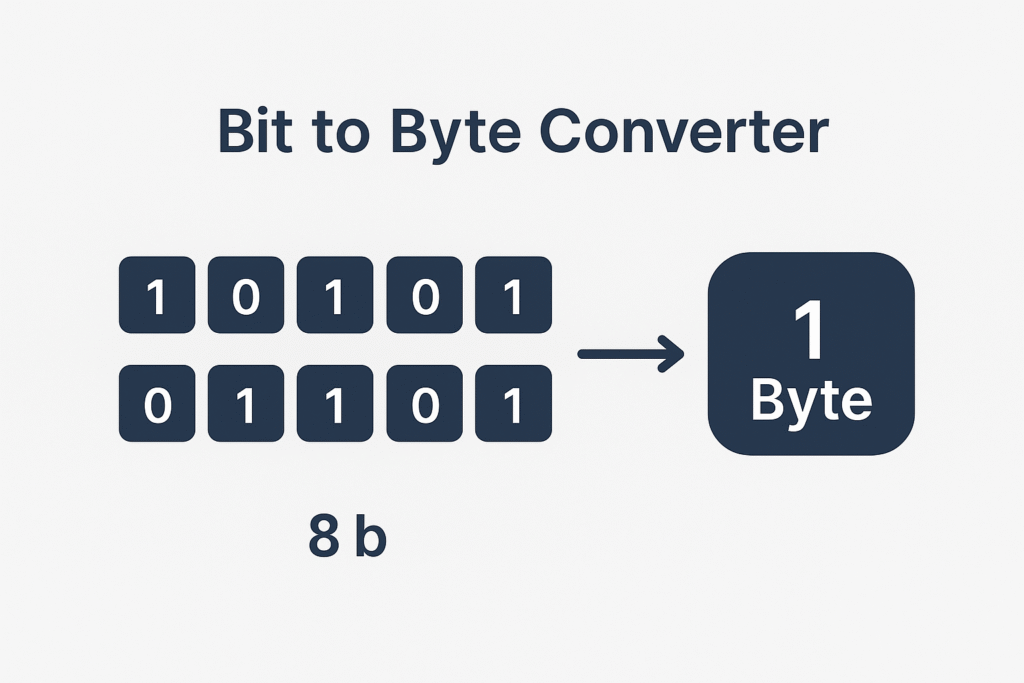
Understanding the relationship between bits and bytes is crucial for anyone working with computers, from beginners learning about digital storage to professionals optimizing system performance. Our bit to byte converter tool provides instant, accurate conversions while helping you grasp these fundamental concepts that power all digital technology.
What Are Bits and Bytes?
The Basic Building Block: Bit
A bit (short for “binary digit”) is the smallest unit of data in computing. It can hold only one of two values: 0 or 1. These simple values form the foundation of all digital information, from the text you’re reading to complex video files.
The Standard Unit: Byte
A byte consists of exactly 8 bits grouped together. This standardization makes bytes the most commonly used unit for measuring data storage and file sizes. The relationship 1 byte = 8 bits is fundamental to understanding digital storage.
Why Convert Between Bits and Bytes?
Programming and System Design
When working with 32-bit integers or designing cache systems, developers need to understand how data translates between bits and bytes. For example, calculating how many 32-bit integers can be stored in a 16-byte cache block requires converting between these units (answer: 4 integers, since 16 bytes = 128 bits, and 128÷32 = 4).
Network and Storage Analysis
Network speeds are often measured in mega bits per second, while storage capacity uses mega bytes. Converting mega bits to mega bytes helps compare network speed with storage requirements effectively.
Memory Management
Understanding bits per byte and number of bits in a byte is essential when working with RAM allocation, buffer sizes, and data structure optimization.
Common Bit to Byte Conversions
Basic Conversions
- 1 byte to bit: 1 byte = 8 bits
- 2 bytes to bits: 2 bytes = 16 bits
- 4 bytes to bits: 4 bytes = 32 bits
- 8 bytes to bits: 8 bytes = 64 bits
Reverse Conversions
- 8 bits to bytes: 8 bits = 1 byte
- 32 bits to bytes: 32 bits = 4 bytes
- 64 bits to bytes: 64 bits = 8 bytes
Larger Scale Conversions
- Mega bit to mega byte: 1 Megabit = 0.125 Megabytes
- Bits to bytes conversion formula: Divide bits by 8
Understanding the Difference Between Bit and Byte
Size and Capacity
The fundamental difference between bit and byte lies in storage capacity. While a bit can store one binary value, a byte can store 256 different values (2^8), making it suitable for representing characters, small numbers, or color values.
Usage in Computing
Bits vs bytes serve different purposes:
- Bits: Network speeds, processor architecture (32-bit, 64-bit), encryption keys
- Bytes: File sizes, memory capacity, storage devices
Practical Implications
Understanding byte vs bit differences helps in:
- Calculating download times
- Estimating storage requirements
- Optimizing data transmission
- Planning system resources
Frequently Asked Questions
How Many Bits Are in a Byte?
How many bits are in a byte? This is the most fundamental question in computing. The answer is always 8 bits, regardless of the computer system or architecture. This standard has been consistent since the early days of computing.
How Many Bytes in a Bit?
How many bytes in a bit? This question reverses the relationship. Since 1 byte contains 8 bits, 1 bit equals 1/8 or 0.125 bytes. However, bits cannot be subdivided in practical computing, so we typically think in whole bytes.
How Many Bits Make a Byte?
How many bits make a byte? Exactly 8 bits combine to form one byte. This grouping allows computers to represent 256 different values (from 0 to 255), which is perfect for storing text characters, small integers, and other basic data types.
How Many Bits Are in a Single Byte?
How many bits are in a single byte? Whether you ask about one byte or multiple bytes, each individual byte always contains exactly 8 bits. This consistency makes calculations predictable and reliable.
Practical Applications of Bit-Byte Conversion
File Size Calculations
When you see a file that’s “1,024 bytes,” you can calculate that it contains 8,192 bits of information. This knowledge helps understand storage efficiency and data compression ratios.
Network Speed Comparisons
Internet providers often advertise speeds in megabits per second (Mbps), but download sizes are shown in megabytes (MB). Converting bits to bytes helps you calculate actual download times: a 100 Mbps connection can theoretically download 12.5 MB per second.
Programming Optimization
Understanding 8 bits in a byte helps programmers optimize data structures. For instance, storing boolean flags efficiently by packing eight true/false values into a single byte instead of using eight separate bytes.
System Architecture
Modern processors work with data in chunks. A 32-bit processor handles 4 bytes (32 bits) at once, while a 64-bit processor works with 8 bytes (64 bits) simultaneously, affecting performance and memory usage.
Advanced Concepts: Bits N Bytes in Computing
Data Types and Storage
Different data types require specific amounts of storage:
- Character (ASCII): 1 byte (8 bits)
- Integer (32-bit): 4 bytes (32 bits)
- Long integer (64-bit): 8 bytes (64 bits)
- Floating-point number: 4 or 8 bytes
Memory Addressing
Computer memory is byte-addressable, meaning each byte has a unique address. However, processors often read multiple bytes simultaneously for efficiency, which is why understanding bits and bytes relationships matters for performance optimization.
Cache Optimization
CPU caches work with fixed-size blocks. Knowing how many 32-bit integers can be stored in a 16-byte cache block (answer: 4) helps optimize data structures for better cache performance and faster program execution.
Using Our Bit to Byte Converter Tool
Our converter simplifies bits to bytes conversion and bytes to bits calculations. Simply enter your value, select the source unit (bit or byte), and get instant results. The tool handles everything from single 1 bit to byte conversions to large-scale mega bits to mega bytes calculations.
Tool Features
- Instant conversion between bits and bytes
- Support for large numbers and decimal values
- Clear explanations of conversion formulas
- Examples showing practical applications
- Mobile-friendly interface for on-the-go calculations
Conclusion
Understanding the relationship between bit and byte is fundamental to working effectively with digital technology. Whether you’re calculating storage requirements, optimizing network usage, or designing efficient data structures, knowing that a byte is how many bits (8) and how to convert between these units gives you the foundation for making informed technical decisions.
Our bit to byte converter tool makes these calculations effortless, whether you need to convert 8 bits to bytes, calculate 4 bytes to bits, or work with larger values like mega bit to mega byte conversions. Bookmark this tool and refer to this guide whenever you need quick, accurate bit-byte conversions for your projects.
Remember: in the digital world, every piece of information ultimately comes down to bits bytes working together to store, process, and transmit the data that powers our modern technology.
Learn more about what a byte is and how bits work from trusted sources.