
Reverse DNS Lookup
Convert IP addresses to hostnames instantly
Network Tools
Top 7 Reverse DNS Lookup Uses: Complete Guide for Network Security & Email Deliverability
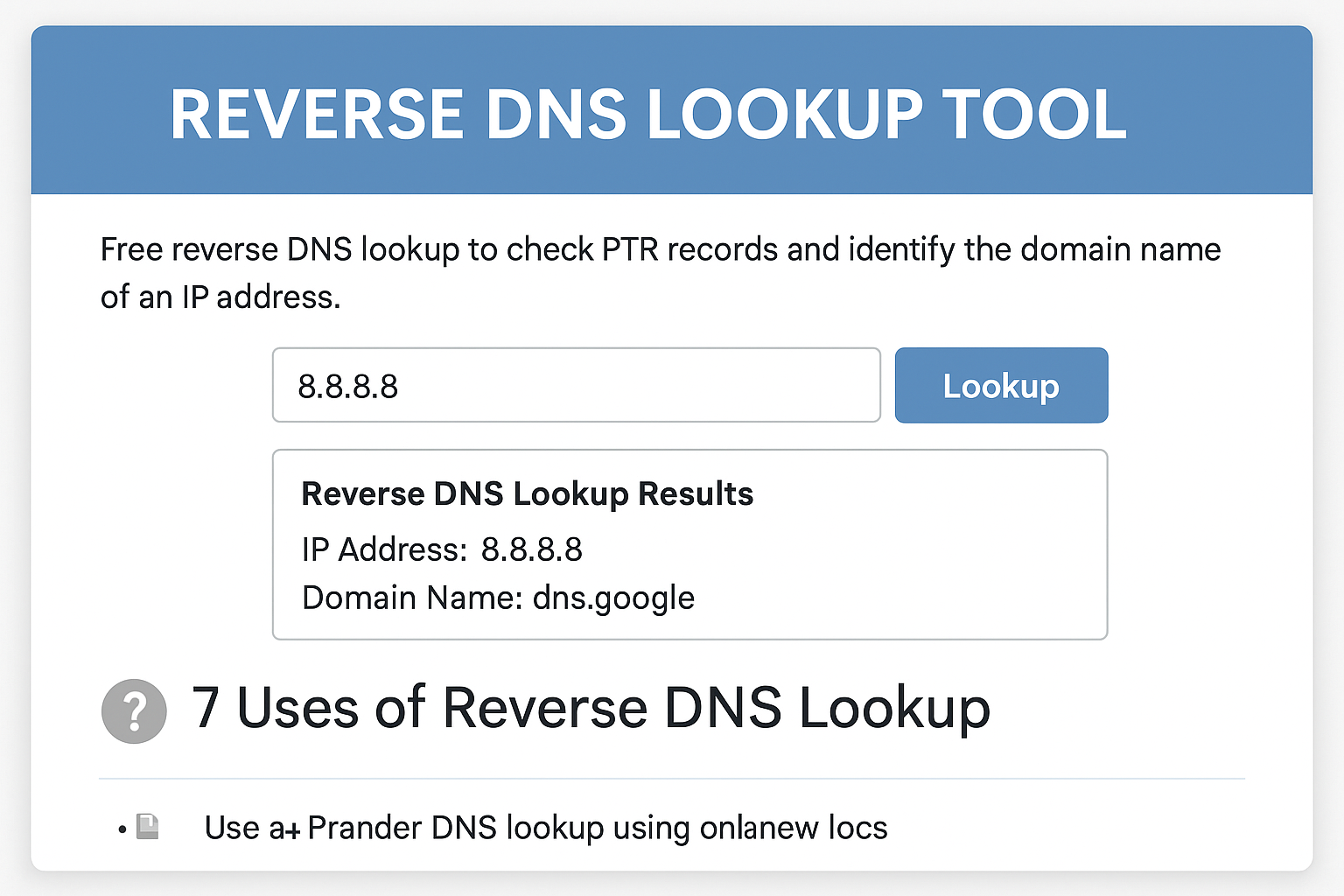
In today’s interconnected digital landscape, understanding the identity behind IP addresses has become crucial for network administrators, security professionals, and email marketers. Reverse DNS lookup serves as a fundamental tool for verifying server authenticity, improving email deliverability, and conducting thorough security investigations. Whether you’re troubleshooting network issues, investigating suspicious activities, or ensuring your email servers maintain proper reputation, mastering reverse DNS lookup is essential for maintaining robust network security and operational efficiency.
What is Reverse DNS Lookup?
Reverse DNS lookup is the process of determining the domain name associated with a given IP address, functioning as the opposite of traditional forward DNS resolution. While forward DNS translates domain names to IP addresses, reverse DNS performs the inverse operation through PTR (Pointer) records stored in the DNS system.
The mechanism works by querying special reverse DNS zones, typically in the format of in-addr.arpa for IPv4 addresses. When you perform a reverse DNS lookup on IP address 192.168.1.1, the DNS system queries 1.1.168.192.in-addr.arpa to retrieve the associated hostname or domain name.
PTR records are maintained by the organization that owns the IP address block, usually Internet Service Providers (ISPs) or hosting companies. These records establish the authoritative mapping between IP addresses and their corresponding domain names, enabling various network services to verify server identity and authenticity. For comprehensive domain ownership information, you can also use WHOIS lookup tools to investigate domain registration details and administrative contacts.
According to Wikipedia’s comprehensive explanation of reverse DNS, this system plays a crucial role in email authentication and network security protocols.
7 Critical Applications of Reverse DNS Lookup
1. Email Server Deliverability
Email servers extensively use reverse DNS lookup to verify sender authenticity and reduce spam. Major email providers like Gmail, Outlook, and Yahoo require proper PTR records for reliable message delivery. Without correct reverse DNS configuration, your emails may be flagged as spam or rejected entirely.
2. Security Investigation and Threat Analysis
Security professionals rely on reverse DNS lookup to investigate suspicious IP addresses, identify potential threats, and trace the source of malicious activities. By revealing the hosting provider or organization behind an IP address, reverse DNS helps security teams make informed decisions about blocking or monitoring specific network segments.
3. Network Troubleshooting and Diagnostics
Network administrators use reverse DNS lookup in conjunction with other diagnostic tools to identify network issues. When combined with IP lookup tools for comprehensive IP information gathering, reverse DNS provides valuable context for troubleshooting connectivity problems and understanding network topology.
4. Server Identity Verification
Web applications and services often perform reverse DNS lookups to verify that connecting clients are legitimate. This verification process helps prevent IP spoofing attacks and ensures that only authorized servers can access sensitive resources.
5. Log Analysis and Monitoring
System logs frequently contain IP addresses that benefit from reverse DNS resolution for better readability and analysis. Converting IP addresses to meaningful hostnames makes log analysis more efficient and helps identify patterns in network traffic.
6. Content Delivery Network (CDN) Optimization
CDN providers use reverse DNS lookup to identify the geographic location and network characteristics of requesting clients, enabling more effective content delivery and load balancing decisions.
7. Compliance and Audit Requirements
Many regulatory frameworks require organizations to maintain detailed network documentation, including reverse DNS records. Proper reverse DNS configuration demonstrates network management best practices and supports compliance auditing processes.
How to Use Reverse DNS Lookup Tools
The most straightforward way to perform reverse DNS lookup is through dedicated online tools. The Reverse DNS Lookup tool at CheckIP.tech provides a user-friendly interface for quickly resolving IP addresses to their associated domain names.
Step-by-Step Process:
- Enter the IP Address: Input the target IP address in the search field
- Execute the Lookup: Click the lookup button to initiate the reverse DNS query
- Analyze Results: Review the returned domain name or hostname
- Verify Connectivity: Use the ping tool to test network connectivity to the resolved hostname
- Investigate Further: Employ traceroute analysis to examine the network path to the target IP
For more advanced investigations, you can combine reverse DNS lookup with TCP ping testing to verify specific services running on the target IP address.
Forward DNS vs Reverse DNS: Understanding the Difference
Forward DNS and reverse DNS serve complementary functions in the Domain Name System:
Forward DNS Resolution:
- Converts domain names to IP addresses
- Uses A records (IPv4) and AAAA records (IPv6)
- Essential for web browsing and application connectivity
- Managed by domain owners through DNS hosting providers
Reverse DNS Resolution:
- Converts IP addresses to domain names
- Uses PTR records in reverse DNS zones
- Critical for email delivery and security verification
- Managed by IP address block owners (ISPs, hosting providers)
The key distinction lies in control and purpose. Domain owners control forward DNS records to direct traffic to their servers, while IP address owners control reverse DNS records to identify their network resources.
Common Reverse DNS Issues and Solutions
Issue 1: Missing PTR Records
Problem: No reverse DNS record exists for the IP address Solution: Contact your hosting provider or ISP to configure appropriate PTR records
Issue 2: Mismatched Records
Problem: PTR record doesn’t match the actual server hostname Solution: Ensure PTR records align with your server’s actual hostname and forward DNS records
Issue 3: Email Delivery Problems
Problem: Emails being rejected due to reverse DNS issues Solution: Verify that your mail server’s IP address has a proper PTR record pointing to your mail server’s hostname
Issue 4: Incomplete IPv6 Support
Problem: PTR records configured only for IPv4 addresses Solution: Configure PTR records for both IPv4 and IPv6 addresses to ensure complete coverage
Issue 5: Delegation Issues
Problem: Reverse DNS queries timing out or failing Solution: Verify that reverse DNS zones are properly delegated and authoritative name servers are responsive
According to Cloudflare’s DNS documentation, proper PTR record configuration requires coordination between domain owners and IP address administrators to ensure consistency across the DNS infrastructure.
Best Practices for Reverse DNS Management
- Maintain Consistency: Ensure PTR records match your forward DNS records
- Regular Monitoring: Periodically verify that reverse DNS records remain accurate
- Documentation: Keep detailed records of all reverse DNS configurations
- Automation: Implement automated monitoring to detect reverse DNS issues
- Coordination: Work closely with your hosting provider or ISP for proper PTR record management
Frequently Asked Questions
What is reverse DNS lookup?
Reverse DNS lookup is the process of determining the domain name or hostname associated with a specific IP address. Unlike forward DNS resolution that converts domain names to IP addresses, reverse DNS uses PTR records to perform the opposite function, revealing which domain name corresponds to a given IP address.
How does PTR record work?
PTR (Pointer) records work by storing the mapping between IP addresses and domain names in special reverse DNS zones. For IPv4 addresses, these zones use the in-addr.arpa format, where the IP address octets are reversed. When a reverse DNS query is made, the DNS system looks up the corresponding PTR record to return the associated hostname.
How to check reverse DNS for an IP?
You can check reverse DNS for an IP address using online tools like the Reverse DNS Lookup tool, command-line utilities such as nslookup or dig, or through network diagnostic applications. Simply enter the IP address, and the tool will query the DNS system to retrieve the associated domain name if a PTR record exists.
Why reverse DNS fails?
Reverse DNS lookup can fail for several reasons: missing PTR records, misconfigured DNS zones, network connectivity issues, or improperly delegated reverse DNS zones. The IP address owner (typically an ISP or hosting provider) must configure PTR records for reverse DNS to function correctly.
Is reverse DNS required for email servers?
While not technically mandatory, reverse DNS is highly recommended for email servers and often required by major email providers for reliable message delivery. Most spam filters check for proper PTR records, and emails from servers without correct reverse DNS configuration are frequently rejected or marked as spam.
Can reverse DNS be used for security purposes?
Yes, reverse DNS lookup is commonly used in security applications to identify the source of network traffic, investigate suspicious IP addresses, and verify server authenticity. Security professionals use reverse DNS information to make informed decisions about blocking malicious traffic and conducting threat analysis.
What’s the difference between forward and reverse DNS?
Forward DNS resolves domain names to IP addresses using A and AAAA records, enabling users to access websites by typing domain names. Reverse DNS performs the opposite function, resolving IP addresses to domain names using PTR records, primarily for verification and identification purposes in email delivery and security applications.
Ready to enhance your network security and email deliverability? Don’t let reverse DNS issues compromise your operations. Try our free Reverse DNS Lookup tool today and discover the complete identity behind any IP address in seconds. Whether you’re investigating suspicious activities, troubleshooting email delivery problems, or conducting security audits, our comprehensive suite of network diagnostic tools provides the insights you need to make informed decisions.
Start your reverse DNS investigation now – simply enter an IP address and unlock valuable network intelligence that can protect your infrastructure and improve your email reputation. Take control of your network security today!